
The Problem
- Invoicing was entirely manual using MS Word.
- Data had to be entered twice (Word + Database), doubling the workload.
- High susceptibility to human error during data entry.
- Lacked proper financial traceability and credit tracking.
The Objectives
- Remove Redundancy: Eliminate repeated manual typing.
- Auto-Calculation: Automatically generate invoice numbers, totals, and VAT.
- Digital Storage: Save invoices directly to local directories as PDFs.
- Financial Tracking: Visually track unpaid invoices and highlight outstanding credit.
System Architecture & Workflow
01
Data entry officer selects a new row in the database. The
current date fills automatically, and the user selects Sale or Repair (S/R).
02
On the VAT_Invoice interface, clicking Generate
creates the next sequential invoice number, resets old fields, and fetches customer data
automatically.
03
User enters item details. The system automatically
calculates totals and VAT without manual math.
04
Clicking Add pushes the financial calculations
back into the master database. Save generates a PDF, and Print sends it straight to the hardware.
05
Visual Database Logic: Rows turn green when payment is pending. Once credit hits zero,
the row reverts to white, making debt tracking instant.
Technical Implementation
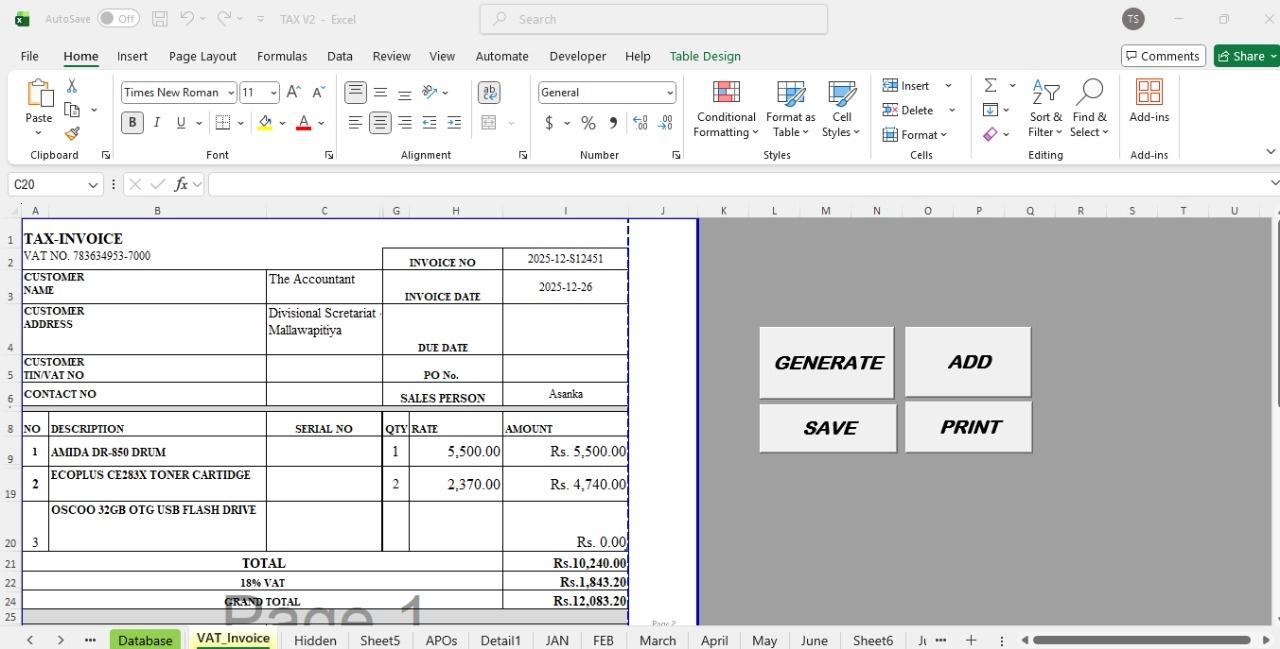
Fig 1. Automated Invoice Generation Dashboard
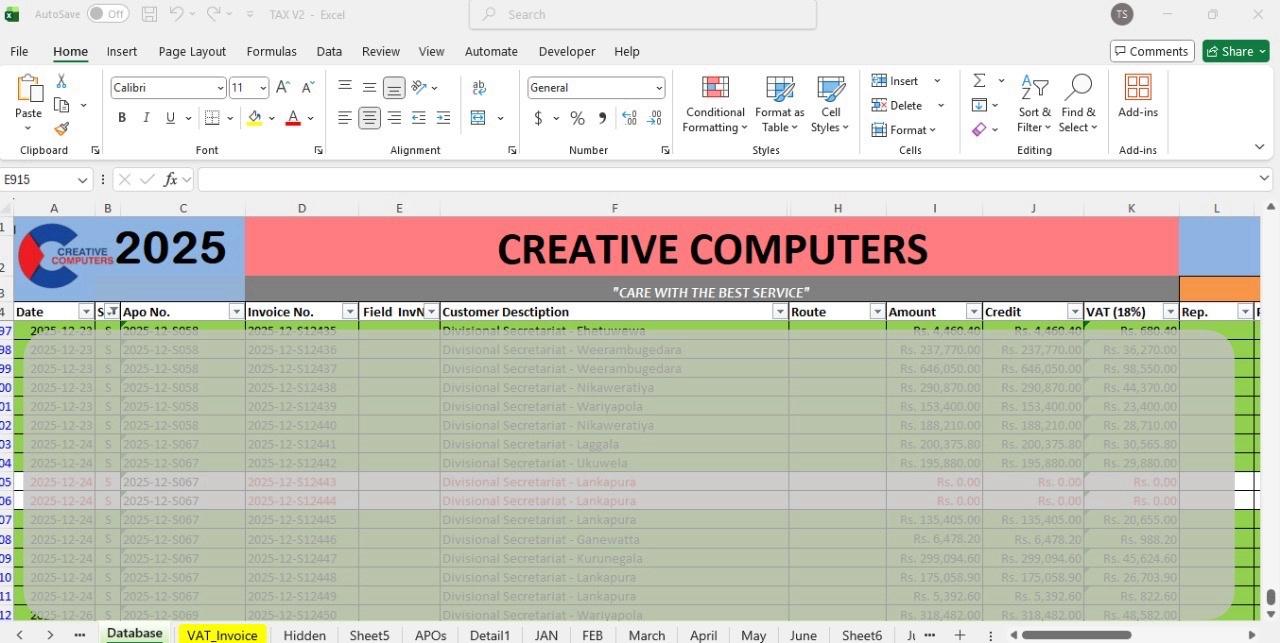
Fig 2. Master Database with conditional color tracking
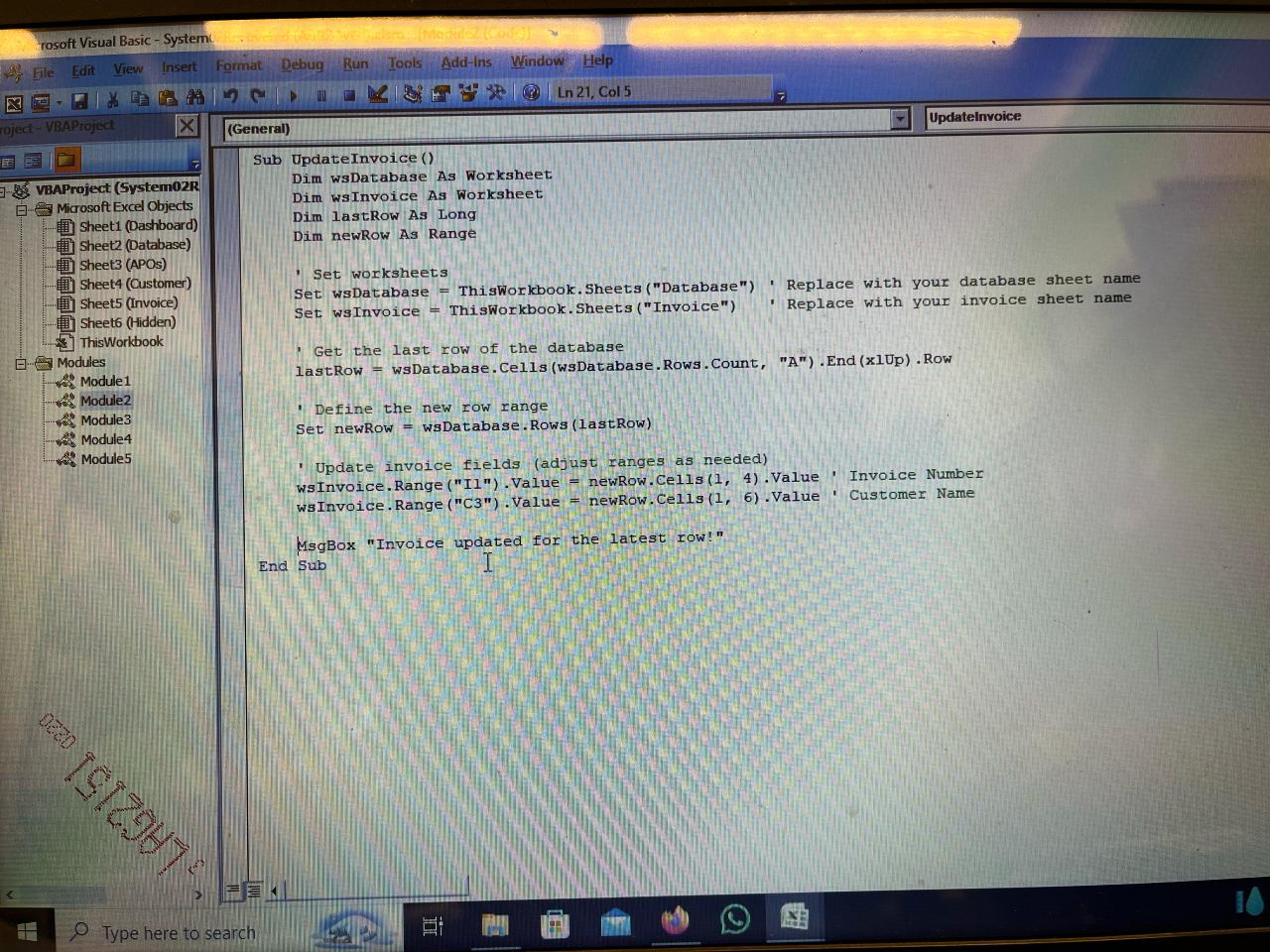
Fig 3. Backend VBA Scripting & Macro Logic
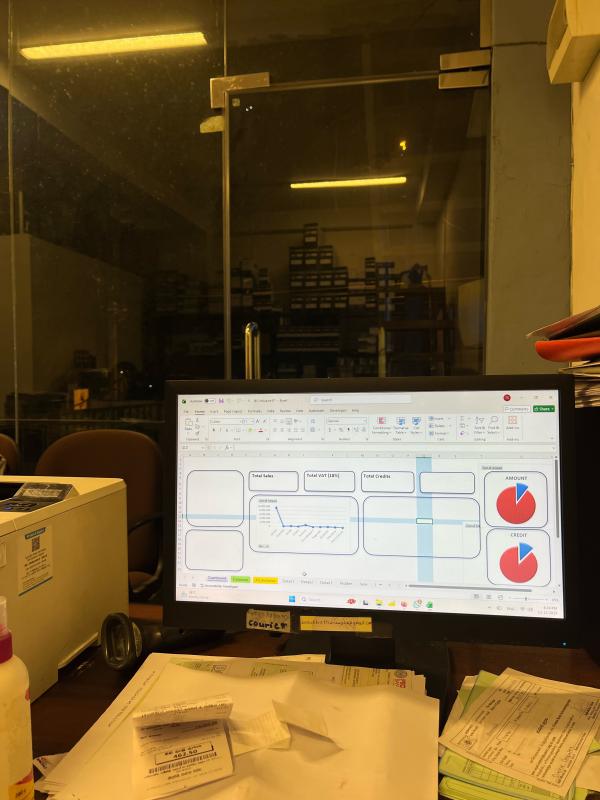
Fig 4. System deployed live, featuring visual data dashboards
The Impact
Deployed within a single week, this lightweight automation drastically reduced the daily administrative workload. Accuracy hit 100% on calculations, invoices were issued significantly faster to customers, and management gained instant visual access to monthly sales and outstanding credit balances without manual auditing. Small infrastructural improvements generate massive organizational efficiency.